
How to connect Arrows to Gong
Arrows reads your Gong calls and puts each one on the deal it belongs to. A call's summary, transcript, attendees, and a link to the recording all land on the meeting, so your team sees what was said without leaving Arrows.
You need admin access in both Arrows and Gong. The setup takes about five minutes.
1. Connect your Gong account
One connection serves your whole company.
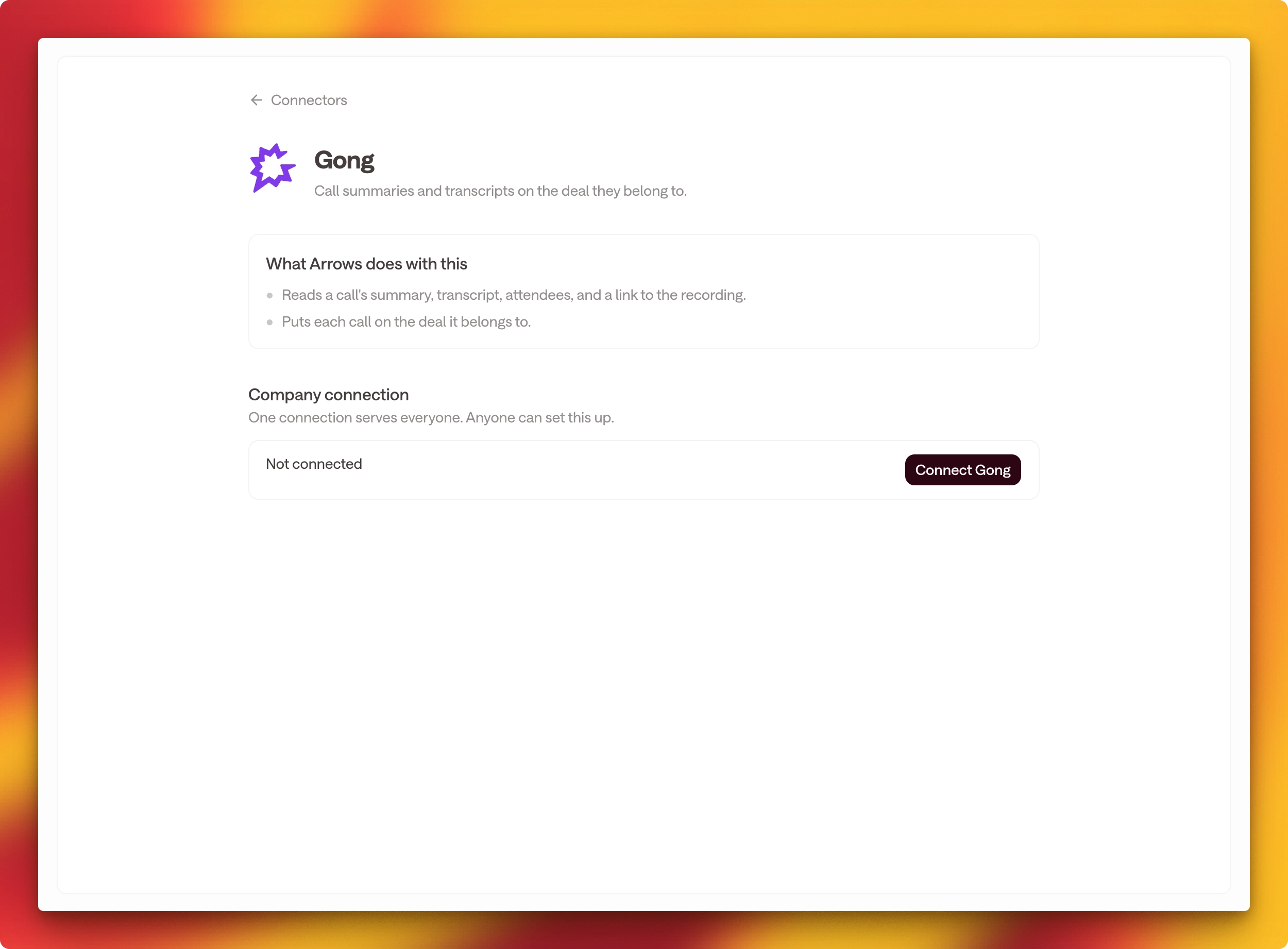
In Arrows, go to Connectors.
Open Gong under Call recordings.
Click Connect Gong.
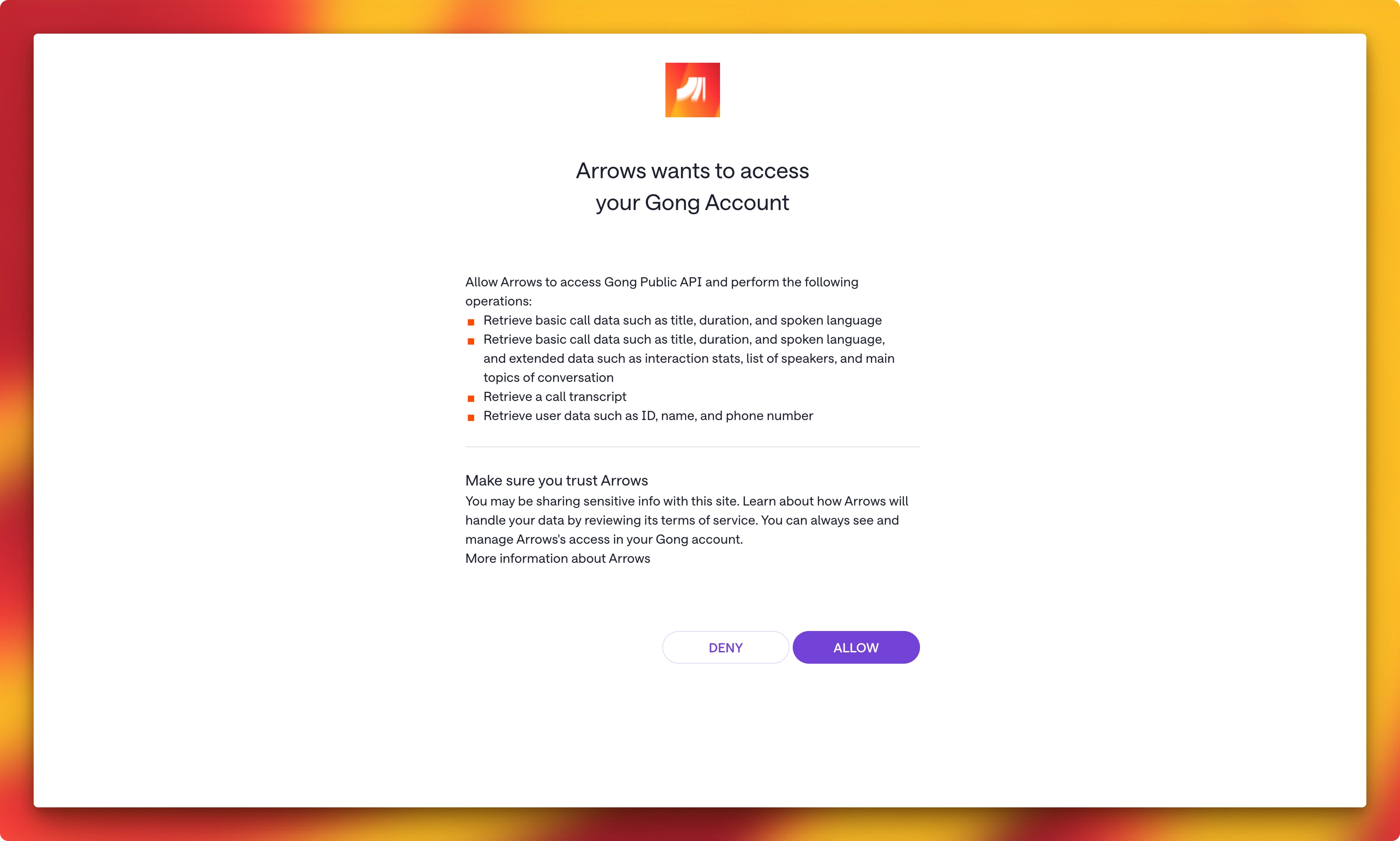
Gong asks you to authorize Arrows. Review the access it lists and allow it.
Gong sends you back to Arrows, and the page reads Connected.
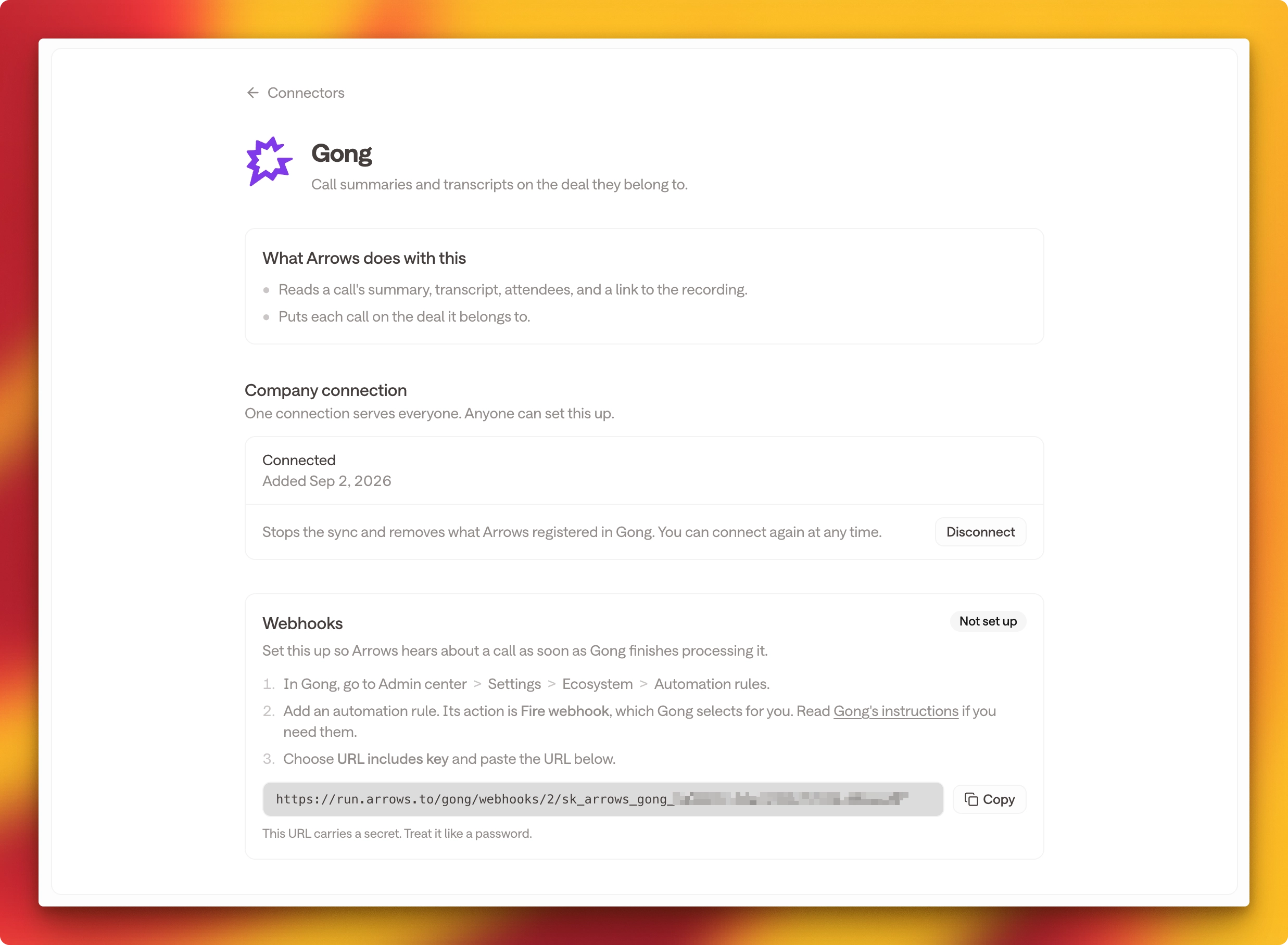
Arrows starts reading your last seven days of calls straight away. They reach their deals within a few minutes.
2. Set up a Gong webhook
Without this, Arrows collects your calls once an hour. With it, a call reaches Arrows as soon as Gong finishes processing it.
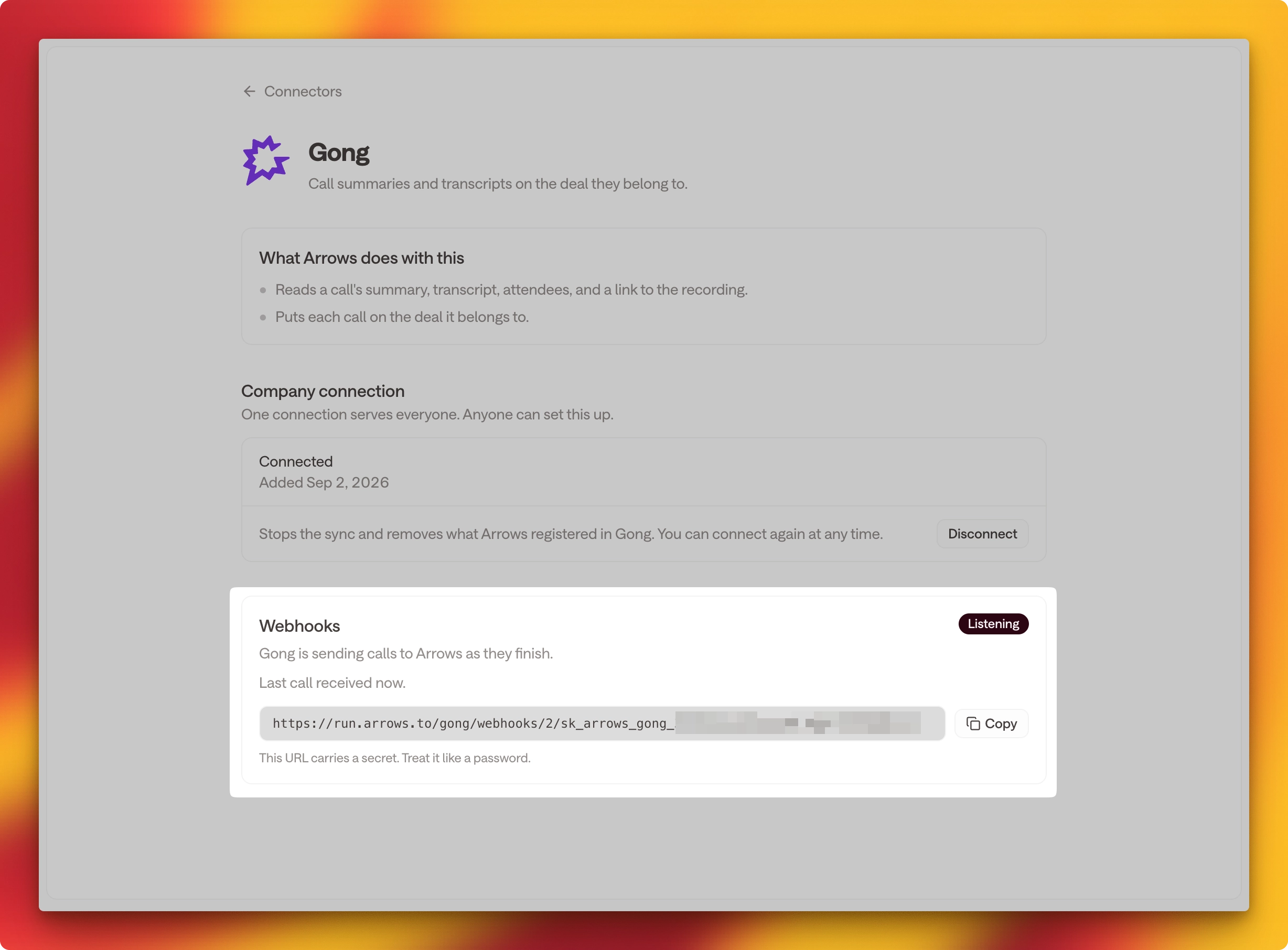
On the Gong page in Arrows, find Webhooks and click Copy next to the URL.
Note: This URL carries a secret. Treat it like a password, and use it only in Gong.
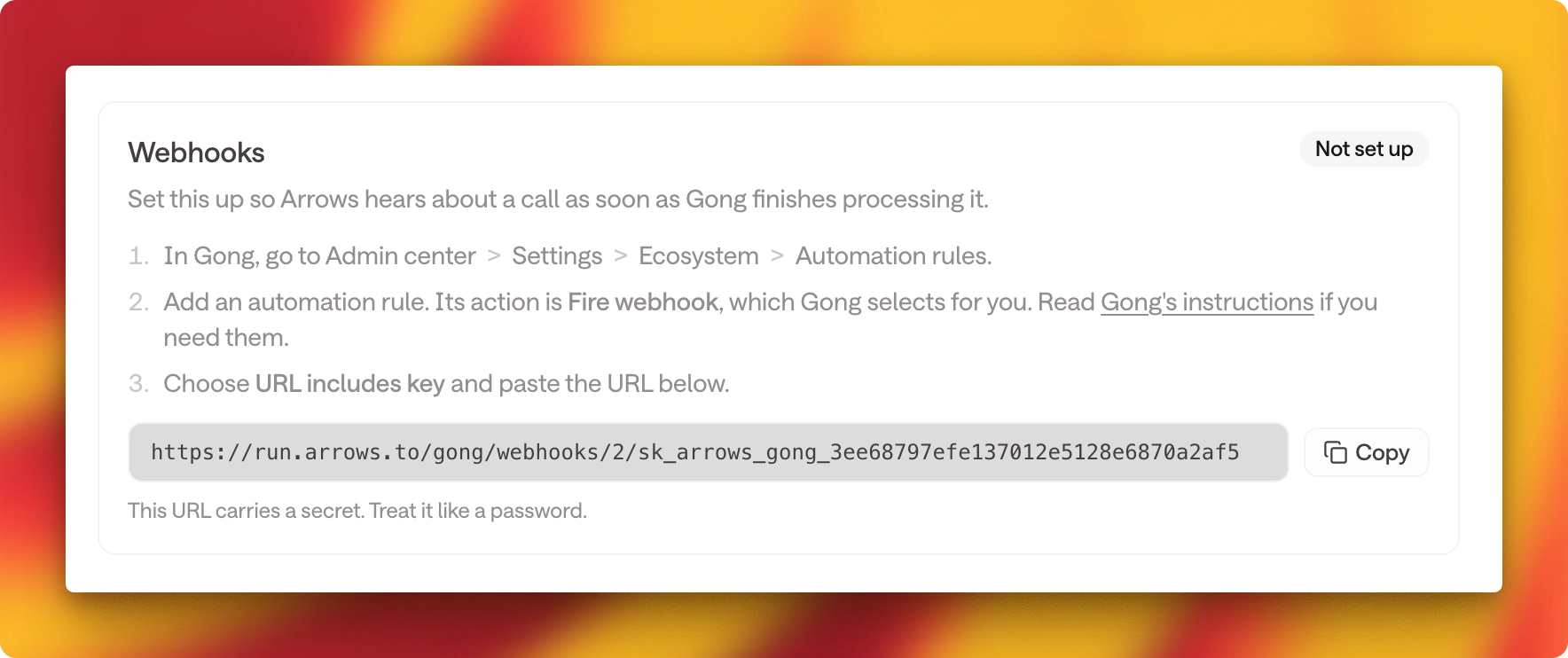
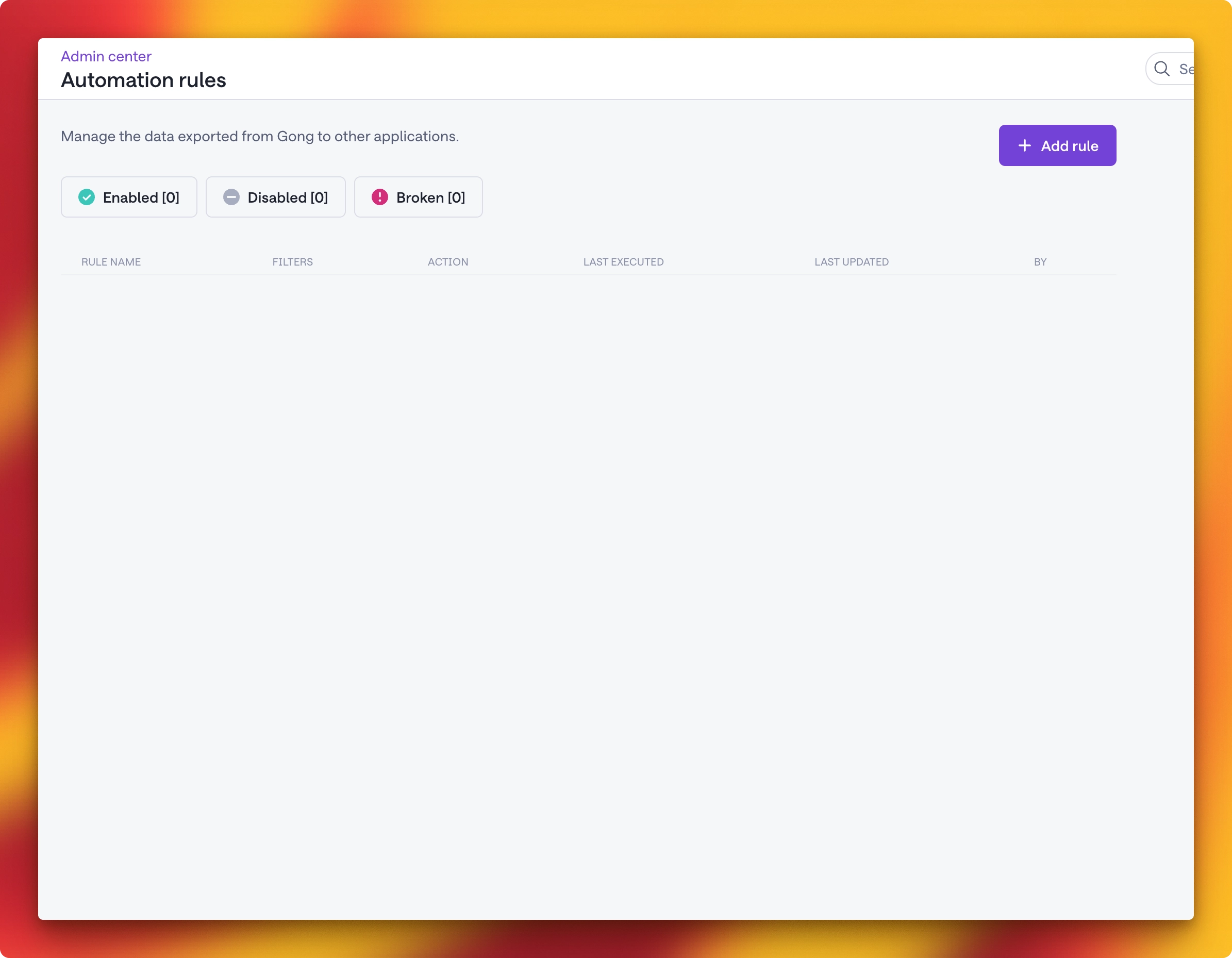
In Gong, go to Admin center > Settings > Ecosystem > Automation rules, then click Add rule.
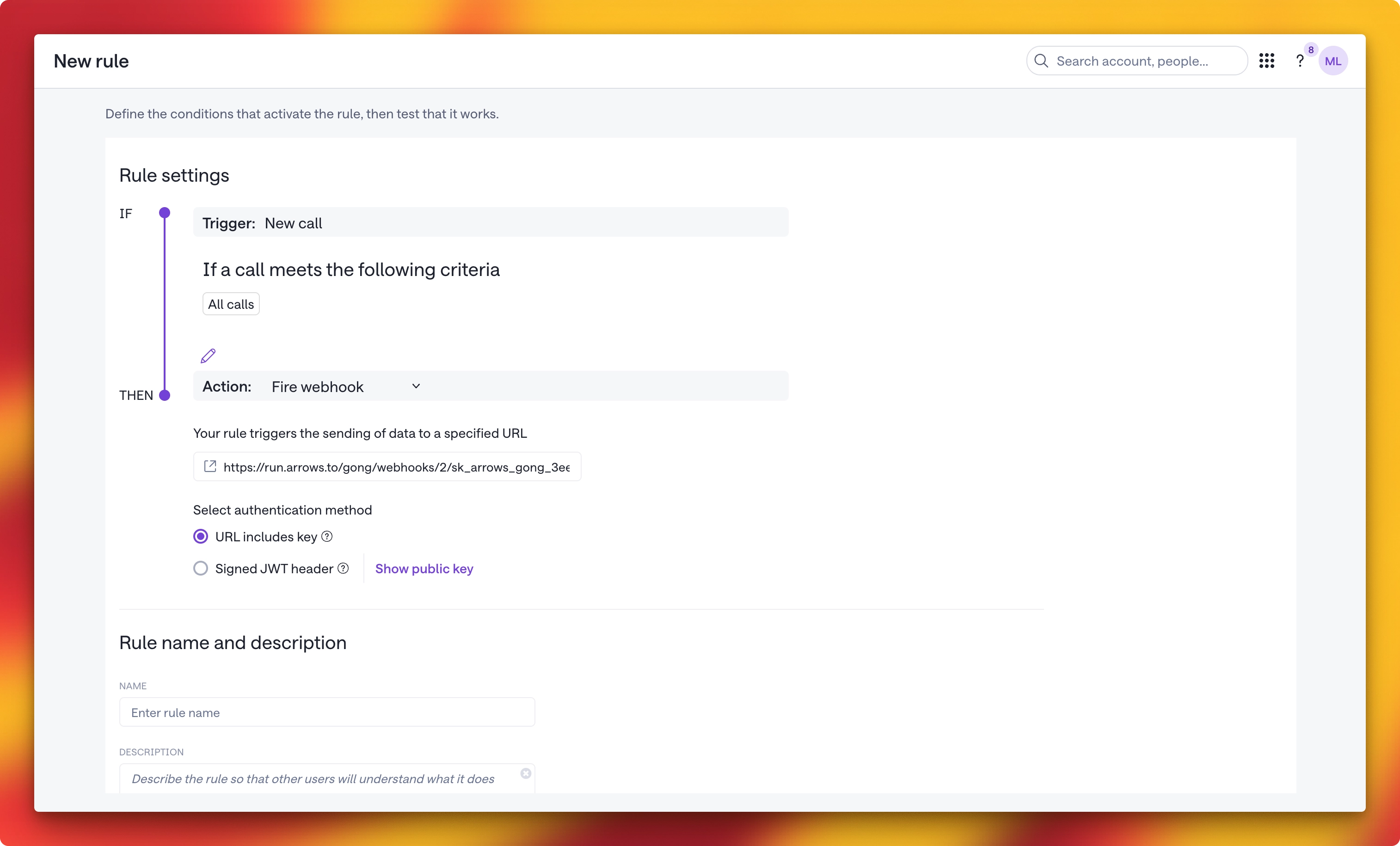
Leave the trigger as New call, and leave the criteria as All calls. Narrowing the criteria means Arrows only sees some of your calls.
Leave the action as Fire webhook, which Gong selects for you, and paste the URL you copied from Arrows.
Under Select authentication method, choose URL includes key.
Give the rule a name, such as
Arrows integration, then save it and turn it on.
Use Gong's test option to send a test webhook.
Back in Arrows, reload the Gong page. Webhooks now reads Listening and shows when the last call arrived.
If it still reads Not set up, the rule is switched off in Gong or the URL was pasted incompletely. Copy the URL again and check the rule.
3. What happens to your calls
There is nothing more to configure. Arrows puts each call on a deal by itself:
When Gong matched the call to a CRM opportunity, Arrows puts it on the space working that deal.
When it did not, Arrows matches on who attended, using the company they work for.
When the call came from a calendar invite, Arrows joins it to the meeting already on that invite rather than creating a second one.
Turning it off
Open the Gong page in Arrows and click Disconnect. Arrows stops reading new calls and keeps the ones it already has.
Delete the automation rule in Gong as well. Arrows cannot remove it for you, because you created it in Gong rather than through Arrows.
Getting help
Contact us if a call does not arrive, or if Webhooks keeps reading Not set up after you have saved the rule.